While budgets are typically planned at the start of a new financial year, each month presents a valuable opportunity to review and stay on top of budget management, assessing how you are tracking. In this blog post, we will explore three key features that can help with streamlining farm planning with Phoenix Budgets: Worktables, Planning Tables, and Actuals.
Worktables: Enhancing Transparency and Proactivity
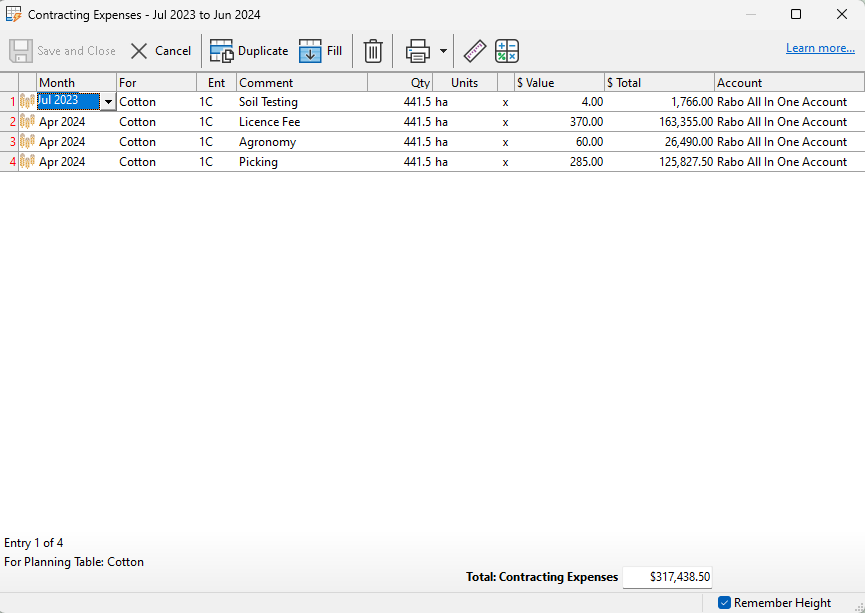
When it comes to farm planning, incorporating worktables can be a game-changer. These tables provide detailed calculations behind the numbers in the spreadsheet and also offer transparency and clarity to anyone reviewing your budget. Whether it’s an accountant, bank manager, or farm planner, the inclusion of worktables allows them to see precisely how the amounts were derived. By regularly reviewing and noting changes in the worktables, your budget can be kept up to date, transforming it into a dynamic planning tool. With fluctuations and trends becoming apparent sooner, farmers can become more proactive in their decision-making.
For assistance with using Worktables, you can visit the help page here. Alternatively, you can watch our Introduction to Phoenix Budgets Worktables tutorial.
Planning Tables: A Crucial Record of Agricultural Production
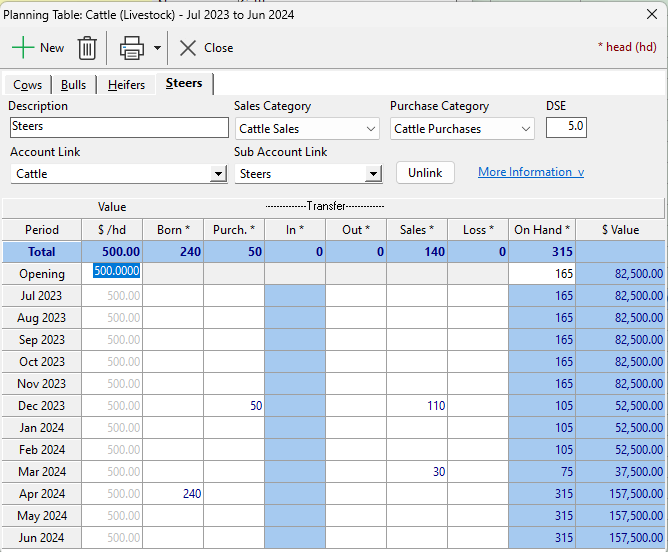
Planning Tables play a vital role in recording essential details of physical production across various farm activities. From crop areas and livestock numbers to milk or wool yields, sales, and production values, these tables capture comprehensive data that becomes the backbone of the entire agricultural process. The beauty lies in their integration with various worktables in the budget, allowing for a holistic approach to financials planning. As farmers set up budgets based on activity plans, they can effortlessly apply alterations to gauge their effects. Whether it’s adjusting crop areas, livestock numbers, yield, or market value, planning tables offer real-time insights into cashflow and net worth. This dynamic approach empowers farmers to make well-informed decisions for optimising their farms productivity.
You can find out more detail on using Planning Tables by visiting our help page here, or watch our Planning Tables in Phoenix Budgets tutorial.
Loading Actuals: Unleashing the Power of Data Comparison
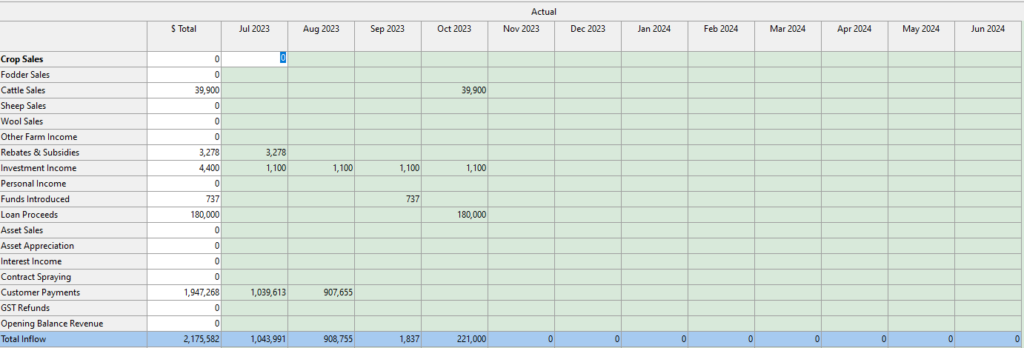
The process of loading actual transactions to individual budget sheets opens new possibilities for farm analysis. By doing so, the data becomes available on the relevant sheet, contributing to the overall totals or specific comparisons. If the current sheet is linked to the Totals sheet, the loaded data will automatically be incorporated into the overall financial picture. On the other hand, when loading actuals for on-screen comparison, unlinking the sheet from the Totals ensures accurate and isolated assessments.
Furthermore, multiple enterprises can have their actual data loaded to separate sheets, each contributing to the total cashflow. Using move periods, historical data can be projected into the future, resulting in an enterprise-based multi-sheet budget. This innovative approach allows farmers to visualise the financial health of their different enterprises, making it easier to strategise and allocate resources efficiently.
To learn more about Loading Actuals in Phoenix Budgets, you can visit our help page here, or watch our Load Actuals in Phoenix Budgets tutorial.
Integrating Worktables, Planning Tables, and Loading Actuals into your farm planning brings newfound efficiency and transparency to the agricultural landscape. Worktables ensure transparency by providing detailed calculations, while planning tables record critical production details, enabling dynamic budgeting. By loading actual transactions and utilising move periods, farmers can gain invaluable insights into their financial standing, empowering them to make data-driven decisions. With these powerful tools in their arsenal, farmers can chart a more prosperous and sustainable path for their agricultural ventures. Embrace the future of farm planning with these tools, and watch your farm thrive like never before.