Customer Login Reseller Login

Logged in as:    |  Logout

April 2012 Newsletter

Changes to Technical Support

Monday, April 16, 2012

AGDATA has always provided a variety of extensive support aids for clients free of charge in the form of the program manuals, the in-built Help system, as well as the support resources available in the Customer Login area on the AGDATA website (www.agdata.com.au).

Despite this, the tech support team receives many technical support queries where the answer is readily available in supporting documentation.

Consequently, we believe that the most equitable way to manage client needs is to have each user only pay for the support they really need or use.  This will maintain and improve what we feel is already industry best customer support.

To aid our clients, AGDATA now offers an expanded range of support options. 

The Signature Service Plan (SSP) is an all-encompassing support and maintenance service which includes:


  • Unlimited Technical support on the Phoenix Software
  • Any Upgrades released are sent out automatically for no extra charge
  • Regular update CD’s sent out to you automatically. No more downloads and you will always be operating on the very latest version
  • Priority support access on an exclusive 1800 free-call number
  • Special offers exclusively available to SSP members
  • 15% discount on the Phoenix Warehouse Service

Pricing is dependent on the Phoenix products that you own, however an SSP subscription starts at just $195 per year with the option to pay annually or monthly. This option offers the best value for money with the additional extra services included in the plan.  If you would like further information on an SSP please ask one of our support people next time you call.

We have not followed the lead of some of our competitors where they won't talk to their clients unless the client has taken out a support contract. In fact they do not even offer their clients casual support options!

We still offer one-off Casual Support Incidents on a flat fee per support incident basis. Clients on the current version of the software (V5) without a support contract will pay $44 per incident.  

We have also implemented an intermediate level of support where clients have the opportunity to purchase Multiple Support Incidents for a discounted rate.

Please be aware that if you call for technical support and you do not have a current support contract, support charges may apply for your call.For more information please see the AGDATA Technical Support Policy which can be viewed on the support page of our website (www.agdata.com.au/Support.html).


Phoenix and Smartphones

Monday, April 16, 2012

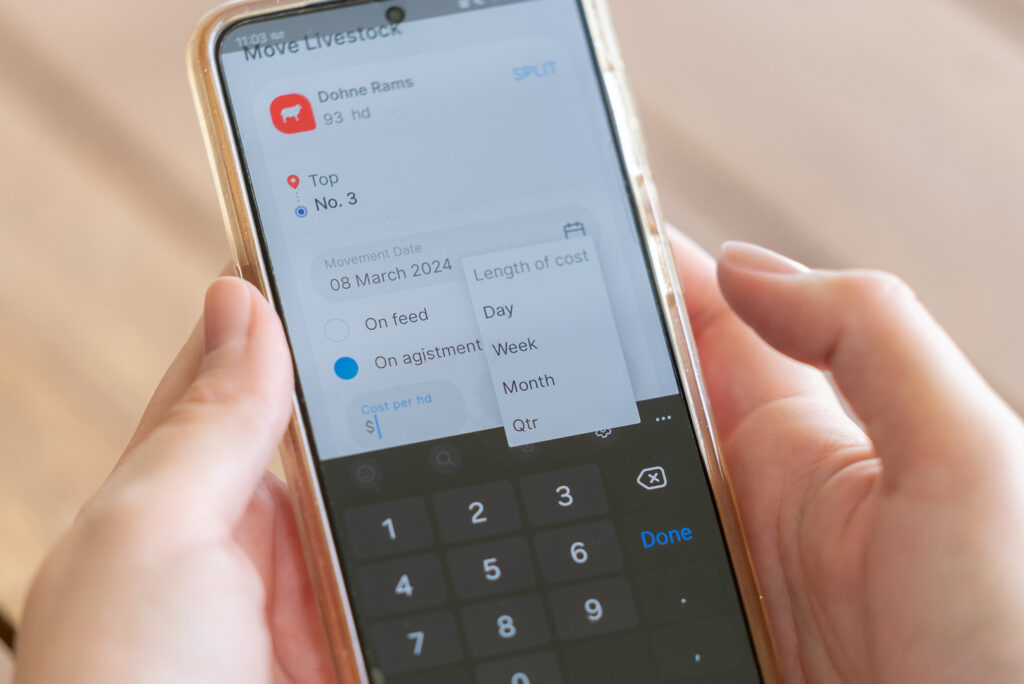
Phoenix on smartphones is on the horizon! While it’s too early to give too much away, for the first release we have tried to isolate the parts of Phoenix that would be the most useful to have at your fingertips. We anticipate there will be a dozen or more utilities available in the initial release spanning Financials, Cropping, Livestock and Grazing. Further capabilities will also follow in subsequent releases.

While we are currently unable to commit to release dates due to our focus on V6, we hope to have further news hot on the heels of the V6 release. Those on Phoenix Live and Phoenix Multi User will be the first recipients of this new Phoenix capability.

Phoenix on slate computers has been available for quite some time. Those on Phoenix Live and Phoenix Multi User have access on iPads and Android slate PCs as well as traditional Windows based slates. 


Attention Graziers!

Monday, April 16, 2012

How well do you know your stocking capacity? Do you know if it’s improving and why/why not? Can your grazing system be more productive? These are all questions that some of Australia’s leading consultants are trying to help answer for producers.

While the practices to improve a grazing system can be relatively easily conveyed, the quantitative data behind such a system is not. For example, do you know your current stock days per hectare and how that compares to last year?

For this reason we have released a dedicated grazing module. 5 minutes a month is all that is required to maintain Phoenix Grazing and produce detailed Grazing Charts, Grazing Performance data, Grazing Benchmarks, Stock Flows, etc. It really is that simple! To summarise, Phoenix Grazing can:

  • Ascertain the key attributes to grazing performance 
  • Use industry standards to quantify performance: DSE, LSU, MJ/day, /Ha, /100mm, e tc.
  • Quantify pasture productivity 
  • Determine cause and effects in your grazing system
  • Identify grazing rotations factoring for paddock recovery periods
  • Establish performance benchmarks
  • Calculate carrying capacity for various climatic conditions 
  • Plan stocking schedules


 Grazing Chart


 Grazing Performance Report


 Grazing Benchmarks


Phoenix Grazing is interactive with Phoenix Mapping. As a result your property map will render colour shades to illustrate information such as grazing productivity, intensity and recovery periods. It’s a case of ‘a picture paints a thousand words’.


We have had Phoenix Grazing ‘in the field’ since late last year to validate its concepts and processes in real world situations. We’ve been delighted with what it is producing for both users and consultants and seeing some very positive feedback. One of the unsolicited responses… 


Hi Mark

I think Ian is suffering from a Grazing program addiction – what can we do to fix the problem?

His entries are so far up to date that I fear he is going out to move stock just to get more entries!!  He has never been so up to date with his paddock book records – EVER!

We have entered the feed demands and rainfall and can see that this will all become more meaningful when we have a bit more historical data.

Thought you might appreciate the feedback.


Ian & Brenda McColl

Umbercollie Merino Stud


The beauty of this module is that it can run stand-alone for those that do not need the full detailed livestock recording system. Or, for those that are capturing their livestock in the Phoenix Livestock module, they can incorporate the Grazing module directly into Phoenix Livestock. This requires virtually no extra work over what they are already doing in order to produce this grazing information.  

As is standard for Phoenix, Grazing integrates with the rest of the Phoenix suite wherever appropriate.


Subscribe to our blog feed RSS

Recent Posts


Tags


Archive